
iPhone app
Par‑5 on your phone
The same directory, built for the walk to the first tee: the courses nearest you, the national map, and a place to keep what you want to play and what you already have.

Par‑5
Every US golf course, mapped
 Get Par‑5: free, no display ads, no account needed to look around
iPhone only, iOS 15.0 or later. There is no Android version and no iPad version — the website does all of this in a browser.
What it does
Everything below is in the shipping app today. Nothing here is a plan.
- Near me
- Allow location once and the app lists the courses closest to you, nearest first, with the distance in miles to each. Set the radius; re-sort by longest, shortest, highest or lowest par; narrow to 18 or 9 holes, public or private. No location on you? Type a town or a ZIP instead.
- The map
- Every course in the country on one map — 12,466 courses and 108 driving ranges, all 50 states and DC — drawn in Par‑5's own cartography rather than a borrowed basemap. Pinch in until the pins separate; tap one and a card names the course, its town and what is known about it, with the page one more tap away.
- The Tee Sheet
- Tap Want to Play on any course and it lands on your Tee Sheet: the running list of where you mean to get to. Group them into collections — a trip, a summer, a state — or leave them in one pile.
- Logging a round
- Tap Log as Played and the sheet asks for the date, and then only what you feel like adding: a rating in half stars, a note, a photo. The rating and the note are your review of that course — one per course, shown on its page under your display name. Log without a rating and nothing is published. It does not ask for your score, and it does not keep a handicap — the calculator on the site does that.
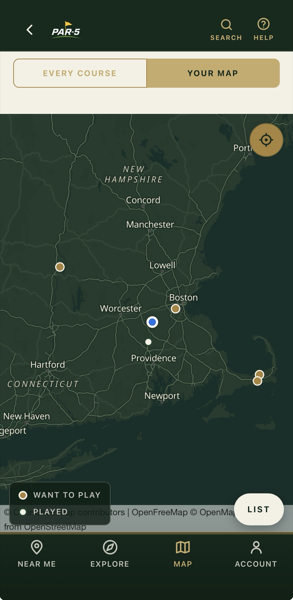
- Your Map
- The states you have played, filled in, and every course you have marked pinned on top of them — played and want-to-play alike, each one saying in words which it is. It is the one screen that answers "where have I actually been" in a shape you can read at a glance.
- Local Knowledge
- Open data leaves gaps, and the pages show them as an honest dash rather than a guess. Where a course page is missing its hole count or whether it is public or private, a signed-in golfer who knows can say so, and other golfers can back it up. It is labelled reported by golfers, not yet verified everywhere it appears, because that is exactly what it is — it never enters the page's own facts until it has been checked.
What it looks like
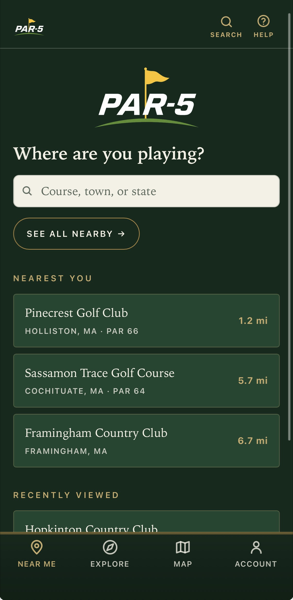
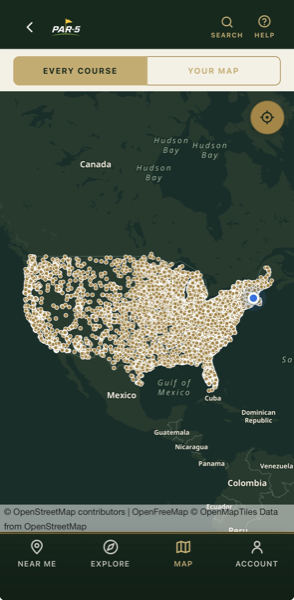
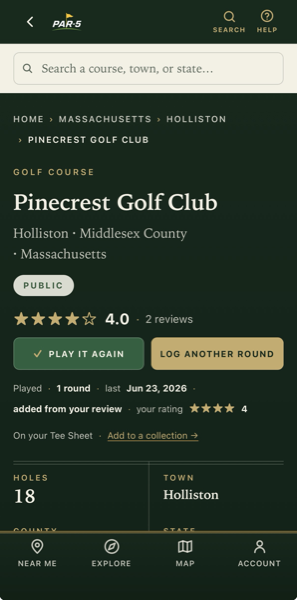
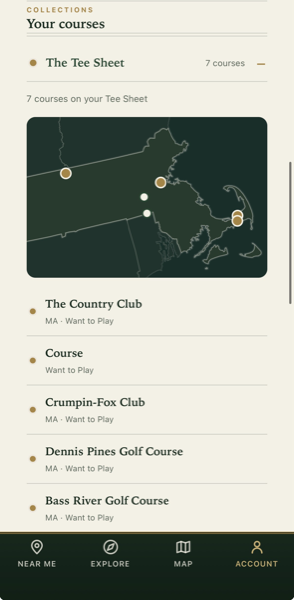
Two things worth knowing before you tap Get
It is a large download, on purpose. Every course page in the country ships inside the app rather than being fetched when you open it, so a course page opens on a cart path with one bar of signal, or none. That is where the size comes from. Your phone will tell you the figure before it starts; the App Store listing carries it too.
Some of it still needs a signal. The map's tiles are drawn from the network, and so is anything attached to your account — your Tee Sheet, your rounds, photos, Local Knowledge. With no connection the pages are all still there; the map says plainly that its background did not load rather than showing you a blank green field.
Not on an iPhone?
Then you are not missing the product — you are missing the wrapper. Par 5 is a website first, and the app is that website with a tab bar and your phone's location button. On Android, on a laptop, on an iPad: every screen described above works in the browser you already have, at the same address, signed in to the same account.
Add it to your home screen and it opens full-screen with its own back button. How to do that, on either phone.